Symmetry: 3D Face Scanner
Face shape, PD & symmetry
How symmetric is your face, really?
Symmetry uses your iPhone’s Face ID camera to build a true 3D model of your face and measure it, millimetre by millimetre. Not a photo filter: honest numbers, with error bars.
- Scans never leave your iPhone
- iPhone with Face ID
- Free, with ads
- depth frames per scan
- ~100
- to scan
- ~20 s
- face regions scored
- 7
- on-device face processing
- 100%
How it works
A 3D scan in about 20 seconds
If you have set up Face ID, you already know how to do it.
Step 1: Line up
Hold your iPhone at eye level, about 30 cm away (a forearm’s length), and fit your face in the frame.
Step 2: Hold still, then circle
Hold still for a moment, then slowly circle your head, just like setting up Face ID. It takes about 20 seconds.
Step 3: Read your report
Around 100 depth frames are fused into one 3D surface of your face, and every point is compared with its mirror image.
Features
What your scan shows
Symmetry compares every point of your face with its mirror image, then turns the result into numbers you can actually use.
Depth-fused 3D scan
About 100 TrueDepth frames fused into one detailed surface, with the sensor noise floor shown so you know what is real.
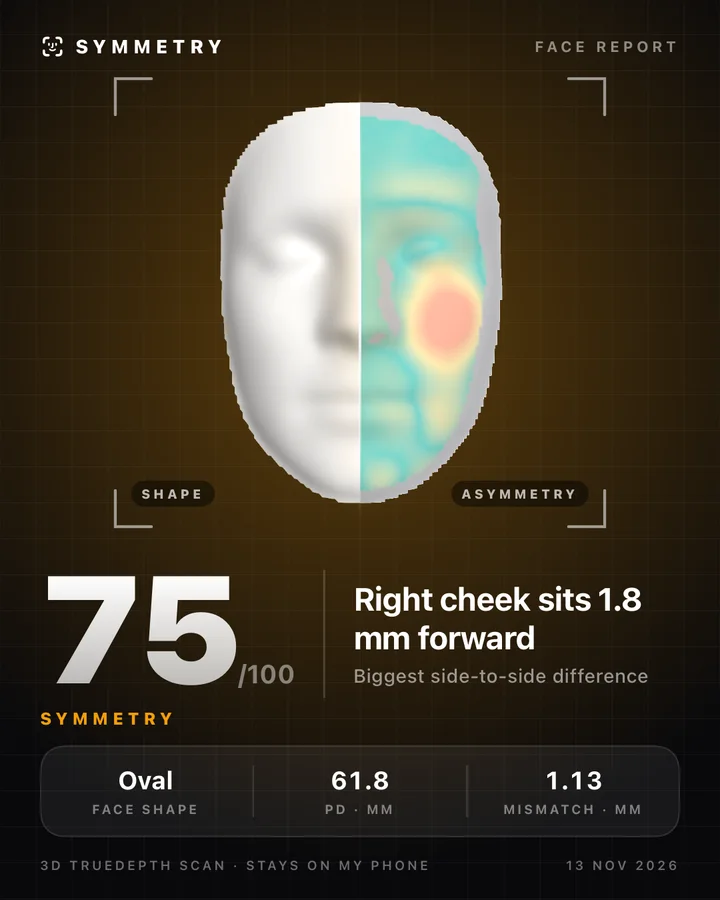
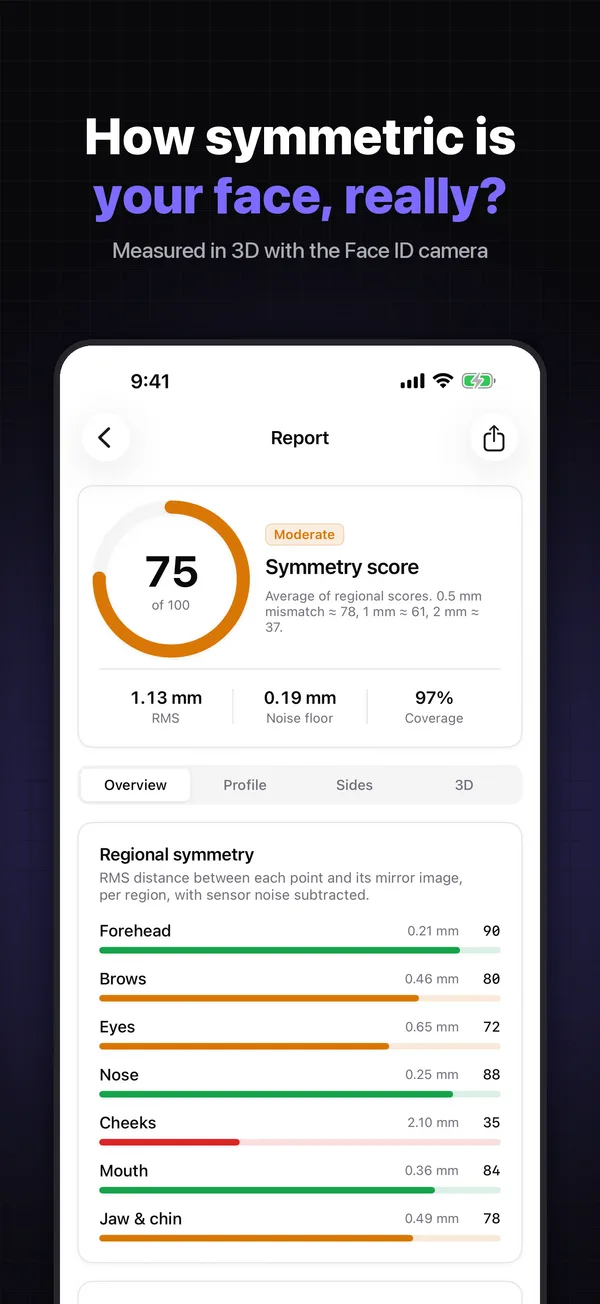
Symmetry score
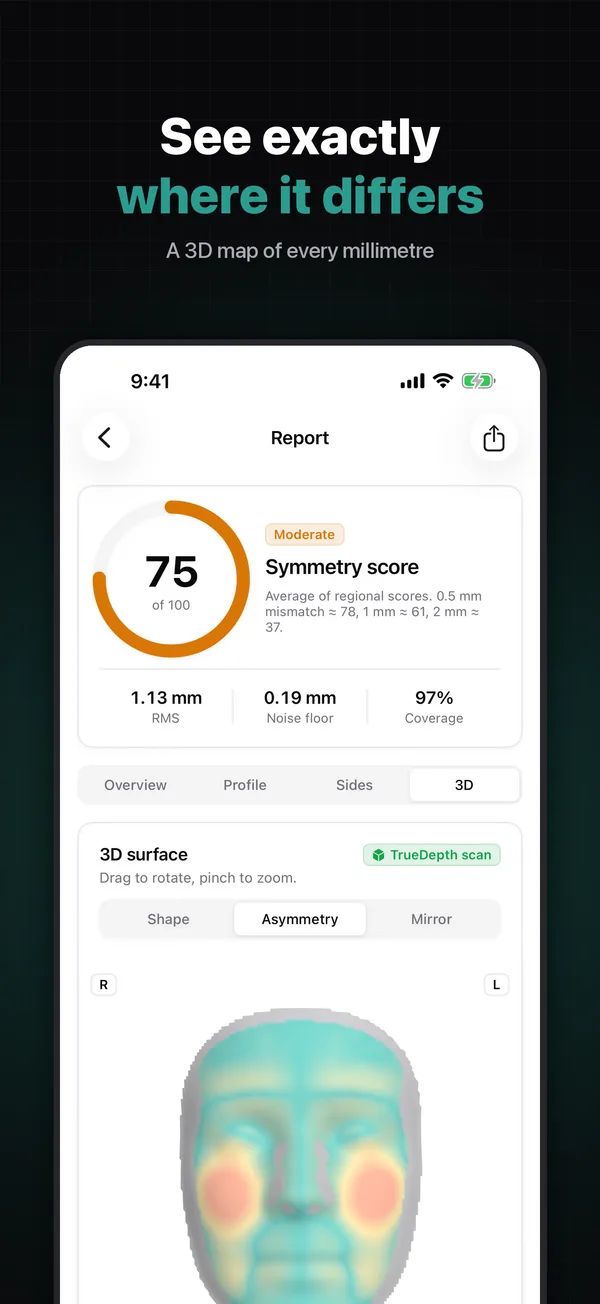
One score out of 100, plus a region-by-region breakdown: forehead, brows, eyes, nose, cheeks, mouth, jaw and chin.
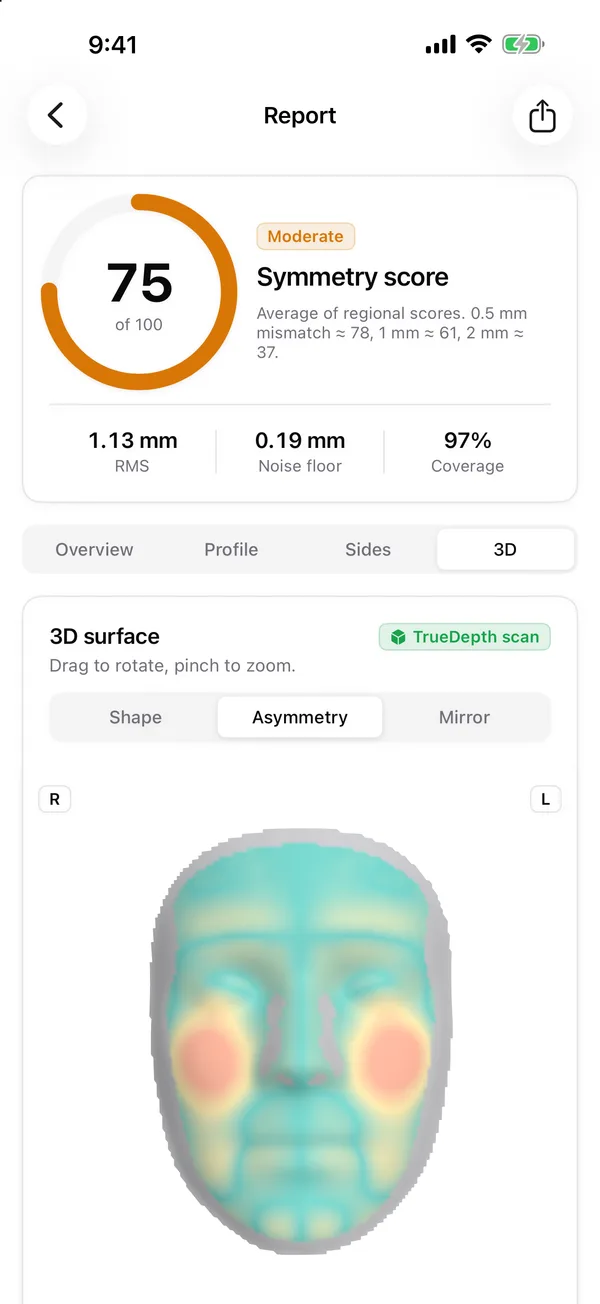
3D asymmetry map
A colour map of left-to-right differences, in millimetres, that you can spin and zoom.
Which side is fuller
See which half of your face carries more volume, and by how much.
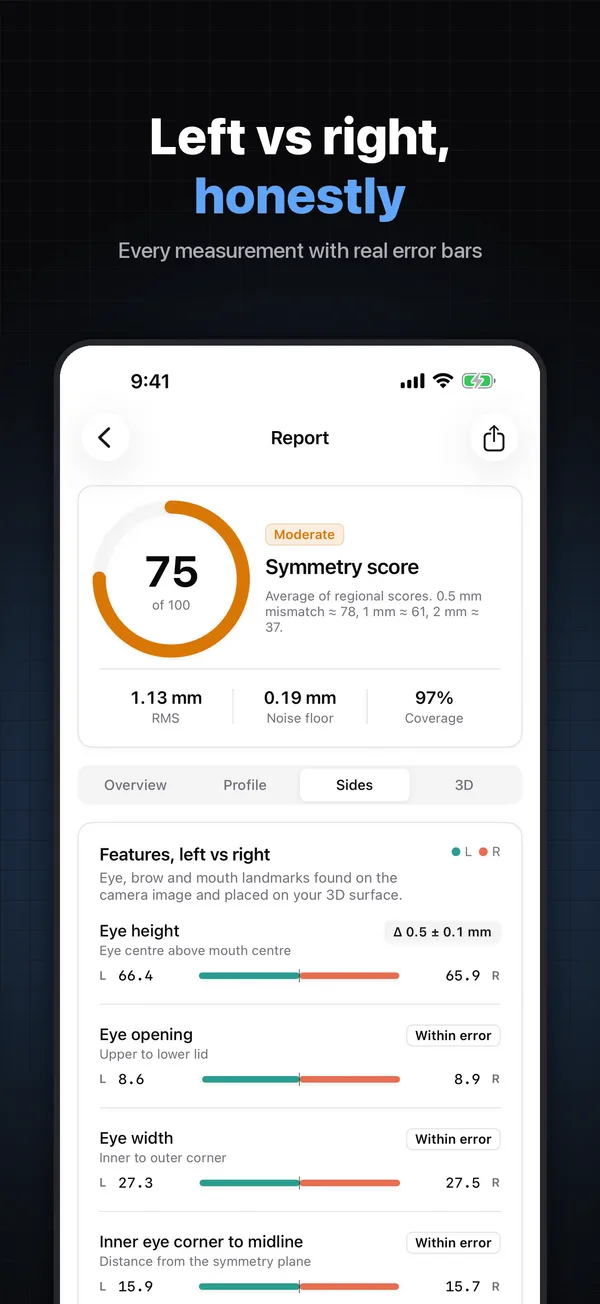
Left vs right, with error bars
Eye, brow and mouth measurements side by side, each with honest error bars instead of false precision.
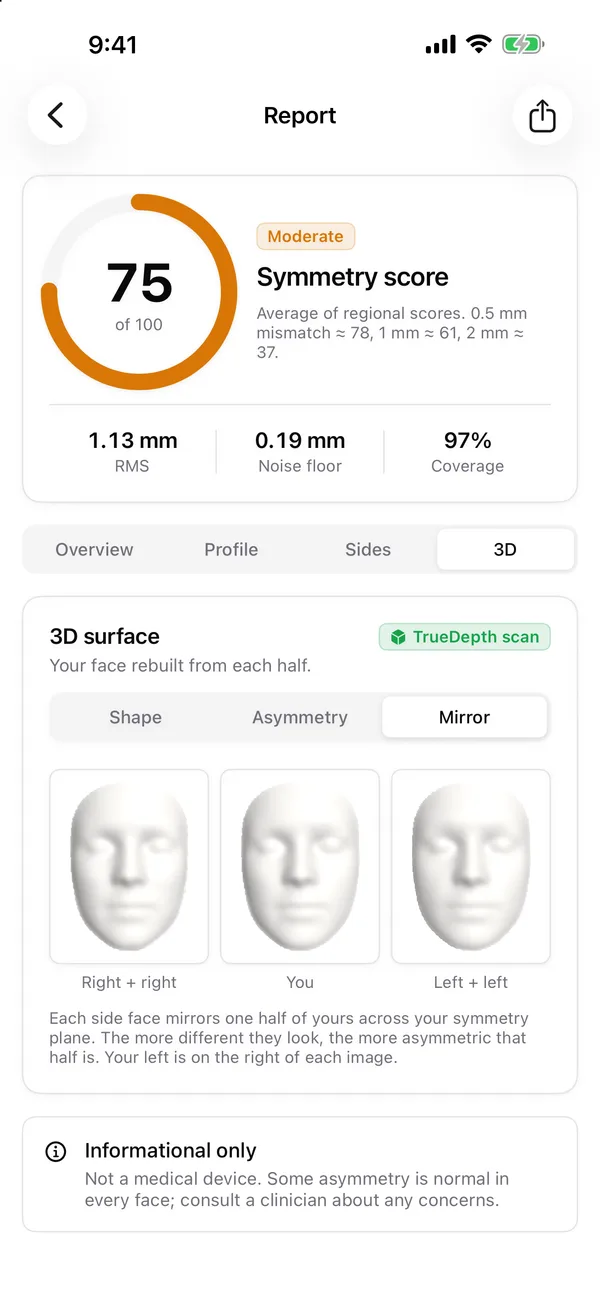
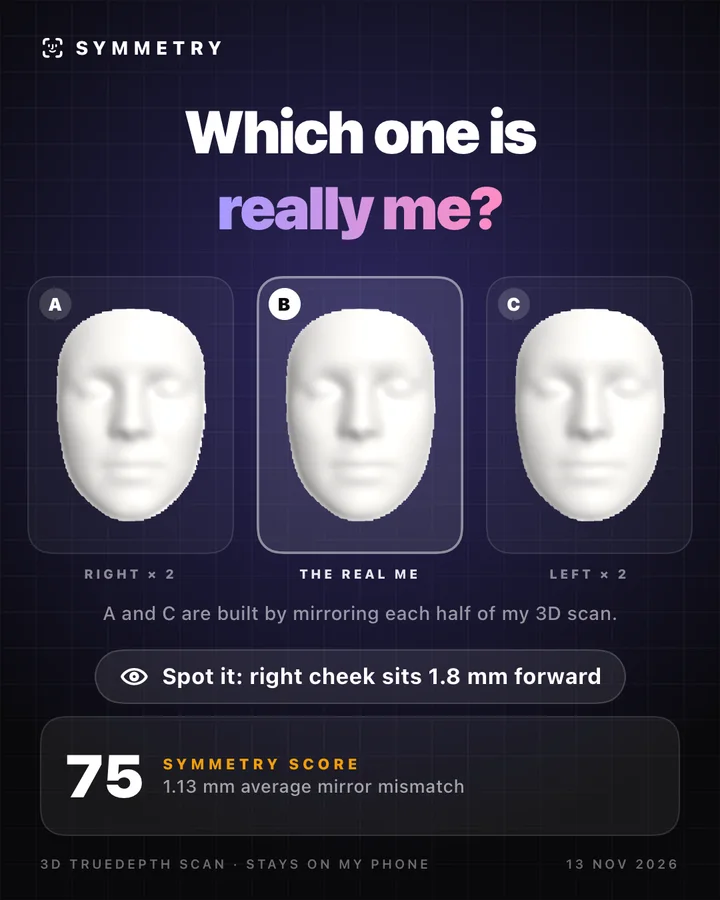
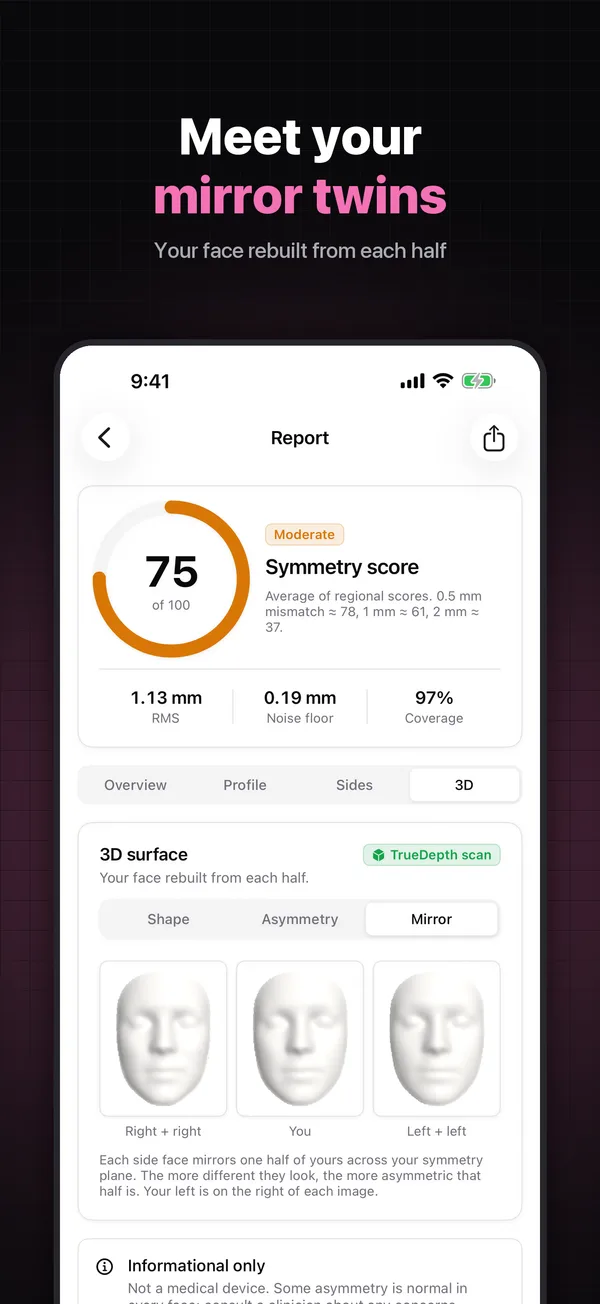
Mirror faces
Your face rebuilt from two left halves and from two right halves. Meet your mirror twins.
Practical measurements
Buying glasses? Start here.
Real measurements from a 3D surface, not a guess from a flat selfie.
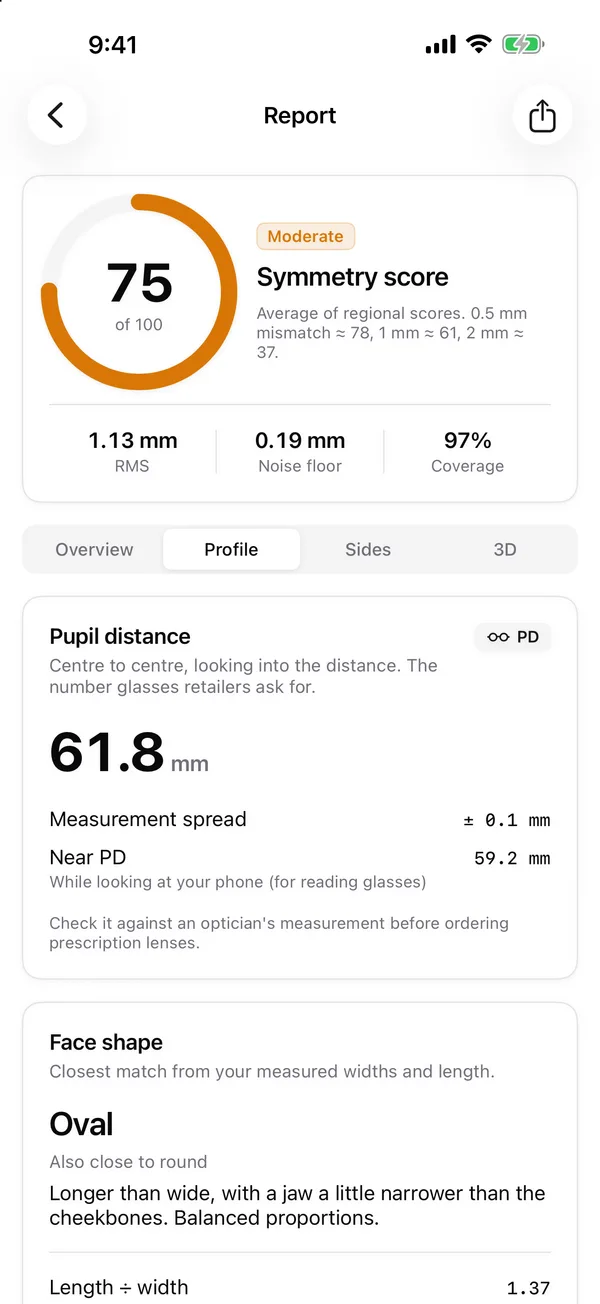
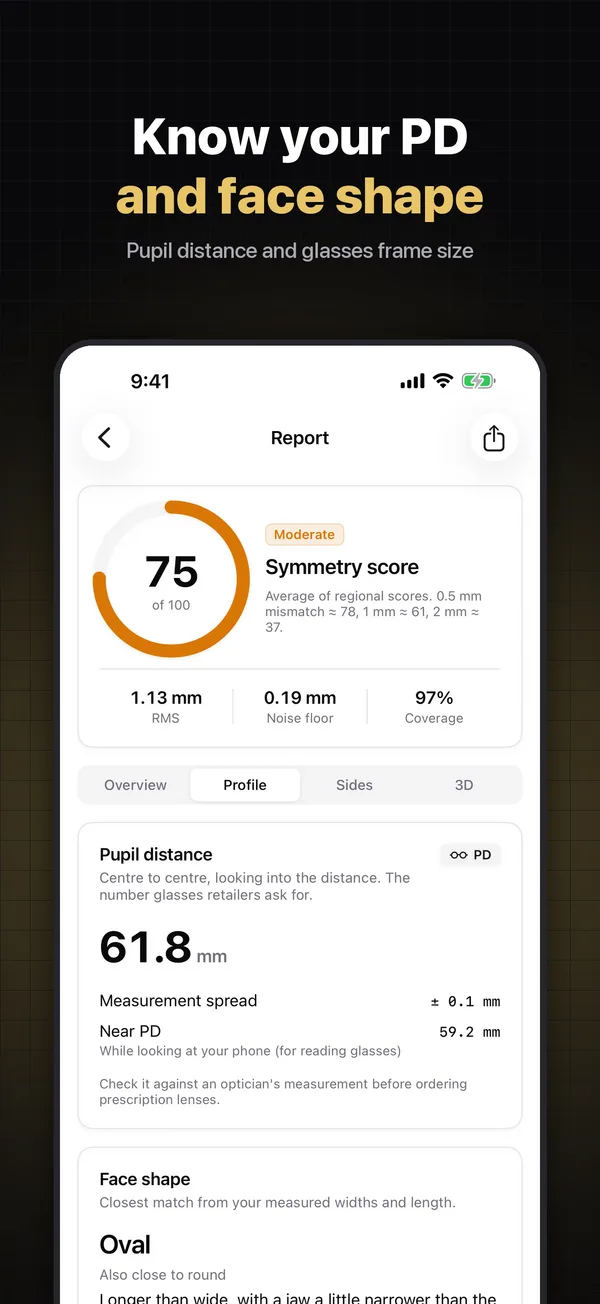
Pupil distance (PD)
Centre to centre, looking into the distance: the number glasses retailers ask for. Near PD for reading glasses too, with the measurement spread shown.
Face shape
The closest match from your measured widths and estimated face length, with the runner-up shape when it’s a close call.
Frame size guide
A suggested frame size (lens width, bridge and arm length, as printed inside most frames), plus styles that suit your face shape.
Dimensions
Face width, jaw width, and the middle and lower facial thirds, measured on your 3D surface in millimetres.
Measurements are estimates. Check your PD with an optician before ordering prescription lenses.
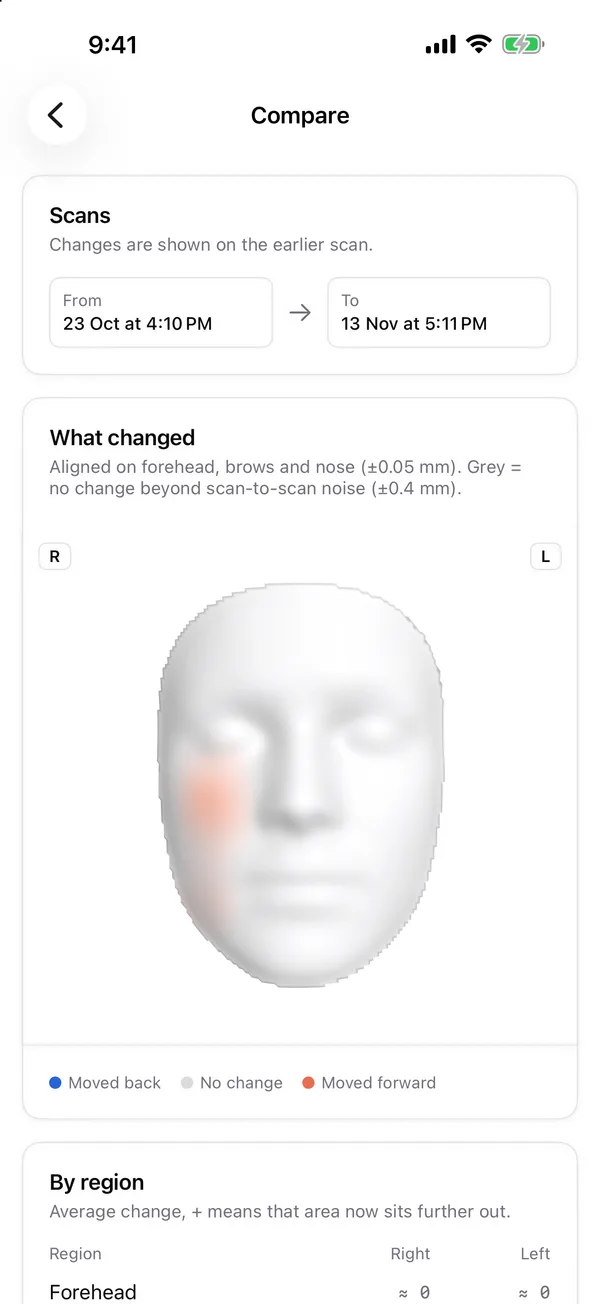
Your face over time
See what actually changed
A new haircut, a skincare routine, or plain curiosity: scan again under the same conditions and compare.
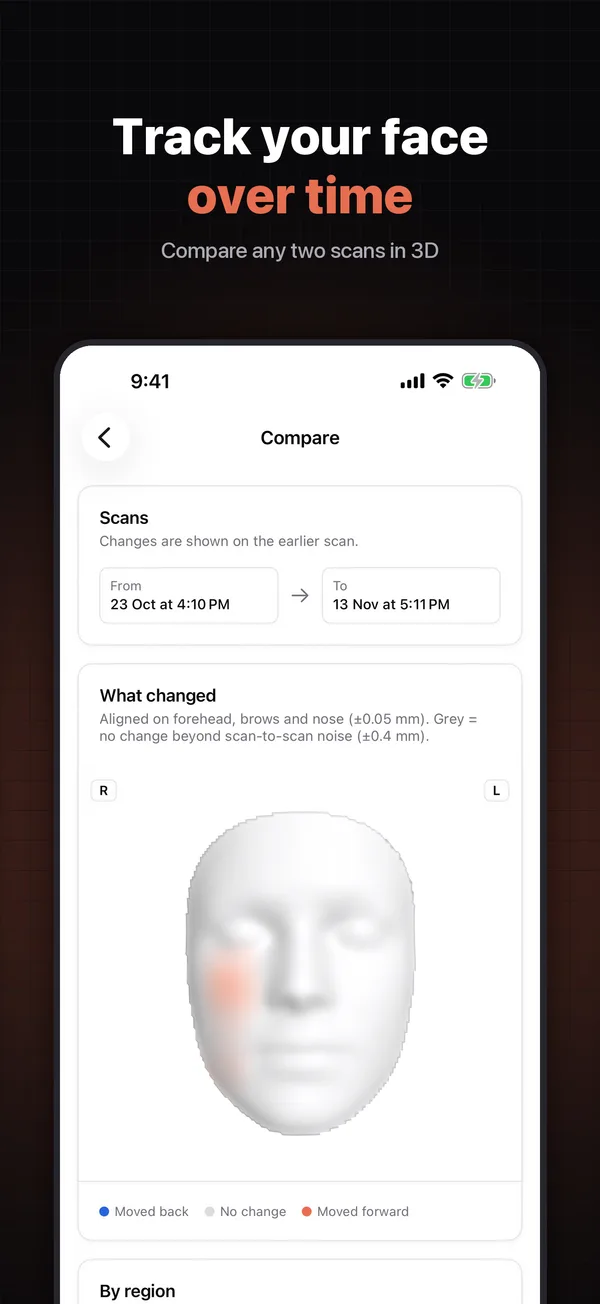
Compare any two scans
Scans are aligned on the stable forehead, brows and nose. Changes smaller than scan-to-scan noise are shown in grey, so you can tell real change from noise.
Trend charts
Follow your symmetry score and measurements from scan to scan.
3D timelapse
Export an MP4 of your face morphing across your scans.
Share & export
Show it off, print it, or open it in Blender
Make a share card for social media, save a full PDF report, or export your face as a 3D model. Exports go only where you send them with the iOS share sheet.
PNG
Share cards
PDF
Full report
USDZ
AR model
PLY
Blender / MeshLab
STL
3D printing
MP4
Timelapse
A look inside
Your face, in numbers and in 3D
Private by design
Your face stays on your iPhone
Every scan is processed on your device. Your face data is never uploaded, never shared and never used for advertising.
On-device processing
Camera images are used during the scan to find facial landmarks and are not saved. Depth data, 3D meshes and measurements are processed and stored only on your iPhone. No account, no cloud.
You decide what leaves
A report, card or 3D model leaves your phone only when you share it. Delete any scan in the app, or delete the app to remove everything.
Ads, kept separate
Symmetry is free thanks to Google AdMob ads. Ads never see your face data, and you choose whether to allow tracking.
Requirements
What you need
- An iPhone with Face ID (TrueDepth camera)
- iOS 17 or later
- About 20 seconds and even lighting
- No account, no sign-up
iPhones with Touch ID can open the app and explore the sample report, but can’t scan. Symmetry is free, with ads, and rated 4+.
Not a medical device. Symmetry is for curiosity and personal information only and does not diagnose any condition.
FAQ
Common questions
Which iPhones does Symmetry work on?
Is my face uploaded anywhere?
How accurate is the pupil distance?
Is this a medical tool?
Meet your face in 3D
Free on the App Store for iPhone with Face ID. Your scans never leave your phone.

Requires an iPhone with Face ID and iOS 17 or later.